How to Choose the Right Cleaning Services App for Your Team

The start of a new year is a good time to check if the tools we rely on are still the right fit for how our cleaning teams work. One of the most important decisions we can make is choosing the best cleaning services app for daily operations. It may seem like a small detail, but the app we pick will shape how our team checks in, follows tasks, and handles changes through each shift.
Finding the right fit is not just about comparing features or price. It means looking closely at how the app supports real work on real sites. From time and attendance to staff handovers, the right tool can help the team stay on track without adding stress. Let’s walk through what to focus on if we want to avoid switching platforms later or creating more problems than we solve.
Getting Clear on What Your Team Actually Needs
The first step in finding a better setup is understanding what isn’t working. Not all teams need the same things, especially if we manage a mix of full-time, casual, and part-time staff across multiple locations.
- Are there problems with people forgetting to check in or fill out shift notes?
- Have we missed scheduled tasks because no one saw them listed for that day?
- Do we lose time chasing up supervisors for confirmation of staff attendance?
We should speak with site managers and those working on the ground. They have likely already spotted the sticking points. While upper management might think we need deep reporting or integration tools, the team may just want something that loads quickly and shows them clearly what tasks are due.
If we only focus on features that sound useful but are not grounded in daily problems, we will end up with another unused app. Starting with team habits, pain points, and rhythms helps us work out which functions will provide actual support.
Key Features That Save You Time and Stress
Once we know what we need help with, it is easier to spot tools that might deliver some breathing room in the schedule. The right cleaning services app should remove roadblocks, not pile on admin work.
Here are a few features to prioritise:
- Real-time time and attendance tracking for shift check-ins and check-outs, especially if we need site-level transparency
- Daily or weekly task scheduling that lines up with service contracts, including recurring duties that shift between weekdays and weekends
- Automatic alerts that let managers know about missed tasks, late arrivals, or team members who have not checked into a location
- Device compatibility that includes syncing across phones and tablets without data loss or needing a Wi-Fi connection every time
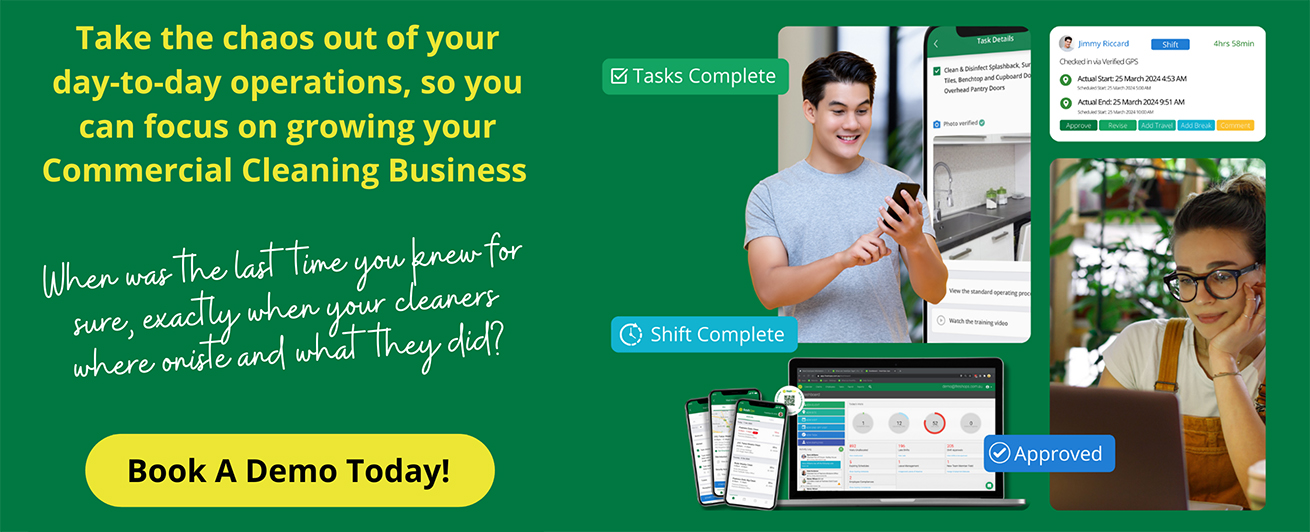
We offer a dynamic cleaning checklist management system that fits these needs, allowing each cleaning duty to be scheduled for specific days and updating instantly for your team. With our platform, time and attendance records cannot be altered, helping managers see who is on-site when needed.
If we often rework plans or adjust staffing during the week, we want something flexible. A good app should handle shifting needs easily so the team does not have to backtrack or explain tasks twice.
Not All Apps Work Well Out in the Field
An app might work fine when we test it in the office, but that does not always translate to real sites or after-hours work. Out in the field, conditions are rarely ideal.
- Look for apps that still work without signal, especially if some sites have poor reception
- Make sure the layout is clean, without too many tap-through pages or cluttered displays
- Test it on older or lower-end phones if that is what the team uses daily
When the tech is slow or confusing, staff may avoid using it. That leads to ghost shifts, skipped tasks, and frustration on both sides.
If possible, run a short live test with a few supervisors or senior cleaners. Get honest feedback about how long it takes to find shift info, complete a checklist, or report a site issue. If it takes more than a minute or two to complete a core task, something probably is not right.
Training and Support Make or Break the Rollout
It is not enough for an app to look clean or promise big features. We need to know how long it will take to learn, train others, and keep pace once things get busy.
Ask providers these questions before committing:
- How long does a full rollout typically take?
- Is there step-by-step training available for staff who are not tech-savvy?
- What kind of support is offered when something breaks or needs adjusting later?
We provide ongoing support resources along with step-by-step training, making it easier for staff to get started and solve common problems quickly.
If the tool is hard to learn or offers poor support, we risk losing team buy-in before we even launch it fully. That is especially true when we have seasonal hires or temp workers who need to get up to speed quickly.
Make sure the main features are easy enough to explain in two sentences. If we need a long manual just to add a shift or change a task, we may be heading for trouble long term.
Involve Your Cleaning Team Early
A smooth start is more likely when we include team voices right from the start. Before signing off on anything, we should ask a few cleaners or trusted leads to try it out.
This does not have to be a full rollout. Try it at one location or during night shifts where coverage is lighter. That way, we avoid widespread confusion or missed work if things go sideways.
- Choose a few tech-comfortable staff to test main features
- Offer a clear window to share feedback, no pressure
- Adjust based on honest input before pushing to more sites
When the team feels like they had a say, they are more likely to accept the change and help others get used to it too. It shows we care about how the tools work in real life, not just on paper.
Ready for a Smarter Start?
Choosing a cleaning services app does not have to mean endless comparisons or second-guessing. If we begin with what our team really needs, it becomes much easier to spot gaps and pick something that fits how we already work.
A reliable app can reduce repeated errors, give transparency on-site through accurate attendance records, and help your team stay focused. Tools that fit seamlessly make supervision simpler, remove extra admin steps, and ensure contract compliance without daily stress.
Bringing more clarity and consistency to daily site work starts with rethinking our routines. Take a closer look at how a cleaning services app simplifies scheduling, task checklists, and on-site updates. When our teams can tick off duties without confusion, we see fewer service gaps and smoother handovers between shifts. At freshOps, we design our solutions around what cleaners actually use, not just what looks good in a demo. Let’s talk about how we can help support your team from day one.