Implementing Task Rotation for Better Cleaning Results
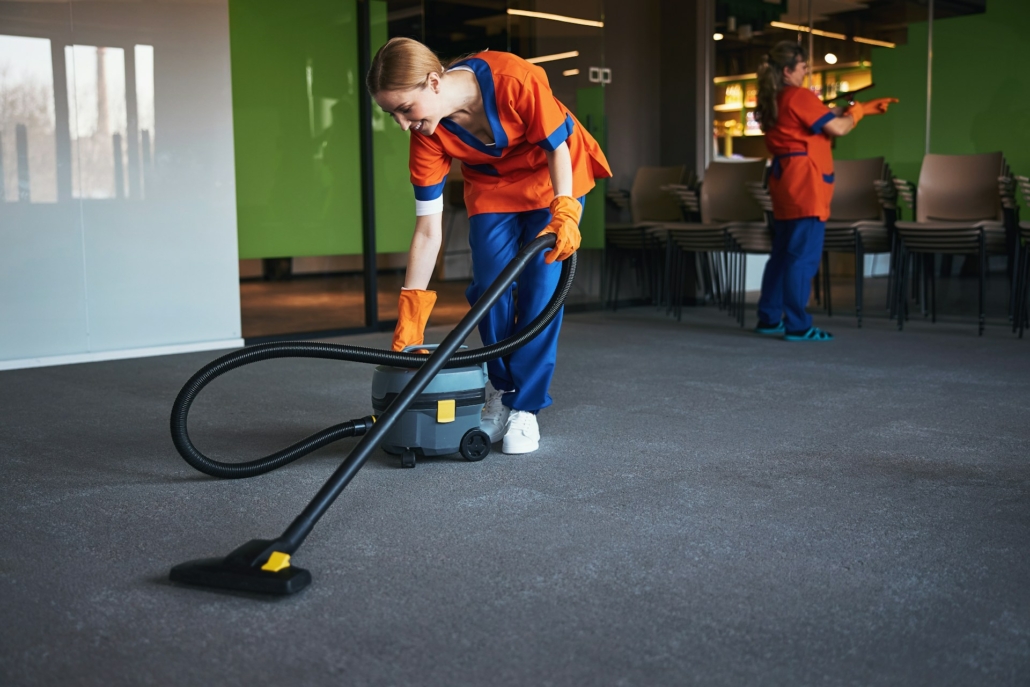
Task rotation is often overlooked in cleaning operations, but when used properly, it is a smart way to improve consistency and keep staff sharp. Rather than having one team member do the same task repeatedly, rotation mixes up duties across scheduled shifts or sites. This not only broadens the team’s experience, but it also helps spot gaps and makes overall operations smoother. When each team member understands multiple cleaning duties, the business continues to function even if someone is absent or moved to another location.
A solid task rotation plan also helps reduce burnout, cut down on repetitive errors and boost morale. From regular surface sanitising to more intensive scrubbing, rotating jobs encourages ownership and engagement from all team members. The right app for cleaning services can make it much easier to track tasks, organise schedules and confirm that rotation is happening as planned. Without digital support, keeping tabs on task assignments can feel like guesswork, slowing down the flow of the operation.
The Benefits Of Task Rotation
There is more to task rotation than swapping jobs randomly. When handled well, it becomes part of a stronger teamwork strategy. Staff stay motivated, and cleaning standards hold steady because attention to detail stays sharp. Here are some benefits that come with structured task rotation:
– Better attention to detail: Doing the same thing daily often leads to shortcut habits. A bit of variation helps people look at an area with fresh focus.
– More engagement: Changing tasks keeps the routine interesting. When staff know their role shifts through the week, they are more likely to stay involved and motivated.
– Improved team flexibility: Staff skilled across multiple tasks can step in for one another, which helps during busy periods or when someone is off sick.
– Faster skill growth: Exposure to various tasks builds knowledge and confidence. It opens the door to upskilling and even internal promotions.
– Health and safety benefits: Rotation spreads out physical work, which reduces the risk of repetition injuries and limits fatigue.
Take the example of a commercial crew who alternate window cleaning, floor tasks and bin duties every few days. Over time, they each gain hands-on experience with the full range, boosting their confidence and building a stronger, more versatile team overall.
Implementing Task Rotation Using freshOps
Routine changes like task rotation only work well with a clear and reliable system behind them. If you rely on whiteboards, notepads or daily calls, things can get muddled easily. You need a format where updates are automatic, task lists are clear and time isn’t wasted chasing reports.
With the freshOps app for cleaning services, it’s far easier to rotate jobs across shifts, days or properties. Here is a basic guide to get started:
1. List out your core tasks
Build a breakdown of all recurring duties across daily, weekly and monthly timeframes for each site.
2. Assess your team’s current skills
Check which tasks each person is already comfortable with and where some extra help or training could fill the gap.
3. Create rotation groups
Link the team into working groups based on shift times or job roles. Assign rotating responsibilities within each group, matched to the work volume and site needs.
4. Use the checklist scheduler
Upload your task plan into the digital checklist system. Assign tasks to days and people easily. The platform will then display the checklist only when the task is due, avoiding clutter and keeping things clear.
5. Track performance in real-time
Managers can see task updates as they happen. This cuts back on guesswork and makes it easy to confirm work without needing to visit every site.
6. Make changes using team input
Get regular feedback and make changes where necessary. If a task is too demanding or too frequent, adjust the cycle to match what actually works on the ground.
Efficient task rotation helps tighten processes without adding new admin hassle. When combined with digital tools like freshOps, it becomes something that quietly reinforces consistency and accountability at every level—from frontline staff to managers.
Case Examples of Effective Task Rotation
Picture a contractor covering office blocks, retail stores and aged care environments. Rather than locking each staff member into a rigid weekly cycle, they rotate both locations and jobs across several days. A cleaner might start the week doing front-of-house jobs like wiping high-touch areas. Later in the week, they could switch to back-of-house tasks like bin handling or re-supplying bathrooms.
This flexible plan allows every cleaner to understand the full scope of their site’s cleaning routine. If someone calls in sick, others are already familiar with the job and can step in without much delay. Rotation also smoothes over transitions between shifts. Because each team is already aware of the complete checklist, shift handovers are faster and more proactive.
Still, even great systems come up against roadblocks sometimes. Common issues include:
– Rotations that do not sync with staff hours or shift times
– Key tasks missed when communication is not clear
– No real-time feedback, making it hard to find and fix problems quickly
Most of these issues come from poor task visibility. Visual checklists that update instantly remove confusion and tighten up communication. A platform that automatically assigns and reveals the right job on the right day eliminates the risks of double-ups or forgetfulness. Managers can see at once where attention is needed and act without delay.
Maximising Efficiency with Ongoing Management
Task rotation systems are not something you set up once and forget. They need a bit of ongoing care to continue making an impact. Site needs change. Contracts grow or shift. Staff come and go. Regular check-ins help keep things balanced and working smoothly.
Good task management should include:
– Routine review of rotation patterns as new work comes in
– Matching completed rotations with clock-in times to keep reporting honest
– Fixing gaps early before they result in client complaints
The most helpful tools are those that tie task data to attendance logs. That way, if someone checks into a location, there’s direct proof of what got done. It adds accountability without manager oversight needing to double. Staff know their responsibility and managers get a clearer picture with no extra legwork.
Team input has real value here too. Those doing the work each day know what’s practical and what feels overcomplicated. Letting staff raise quick suggestions or flag issues gives managers a direct feed on what needs tweaking. When a team feels heard, they’re more likely to support — rather than push back on — changes like task rotation.
Strengthen Your Cleaning Operation with Smart Task Rotation
When done with a system in place, task rotation improves more than just the standard of the clean. It gets the whole team more involved, aligned and prepared for the unexpected. Staff learn from each other, cut down on routine errors, and feel more responsible for their work.
With the right combination of structured planning and digital tracking, rotation stops being another chore. Instead, it becomes part of what makes a site run well even on tough days. Connecting time logs, staff strengths and dynamic task checklists helps you create a team that is confident, flexible and committed—from the first shift to the last. Task rotation might seem like a basic change, but when managed properly, it becomes one of those small details that keeps the bigger picture running strong.
Give your cleaning business a smarter way to manage daily duties by using an app for cleaning services designed to simplify the entire process. freshOps brings powerful tools like dynamic checklist scheduling to help you assign tasks precisely when they’re needed. With better visibility and seamless team coordination, you can maintain high cleaning standards without the stress. Explore how this digital setup supports consistent task rotation and keeps your operations running smoothly by checking out this app for cleaning services.